


%20(1).avif)
.avif)
.avif)
.avif)
Synchro Arts
Save hours in the studio with vocal processing software created specifically to enhance and simplify the processes of music producers and audio engineers.

Let's take a look at using VocAlign Pro 6 in Ableton Live. Although I'm using VocAlign Pro for this tutorial, a lot of what I’m saying also applies to VocAlign Standard. So let’s dive in.
I’ve got a set of vocal tracks here. Let’s have a quick listen:
"Carry your pain until it's light. If I could, I would cry your tears, lift you up. If I could, I would take..."
Overall, it’s not a bad performance—but we definitely need to tighten up the timing and take care of the tuning. We’ll do that using a brand-new feature in VocAlign 6 Pro called Smart Pitch.
First things first: we’ve got our main lead vocal track. I've already done a tuning pass and I'm happy with both the timing and pitch. This will be our guide for everything else.
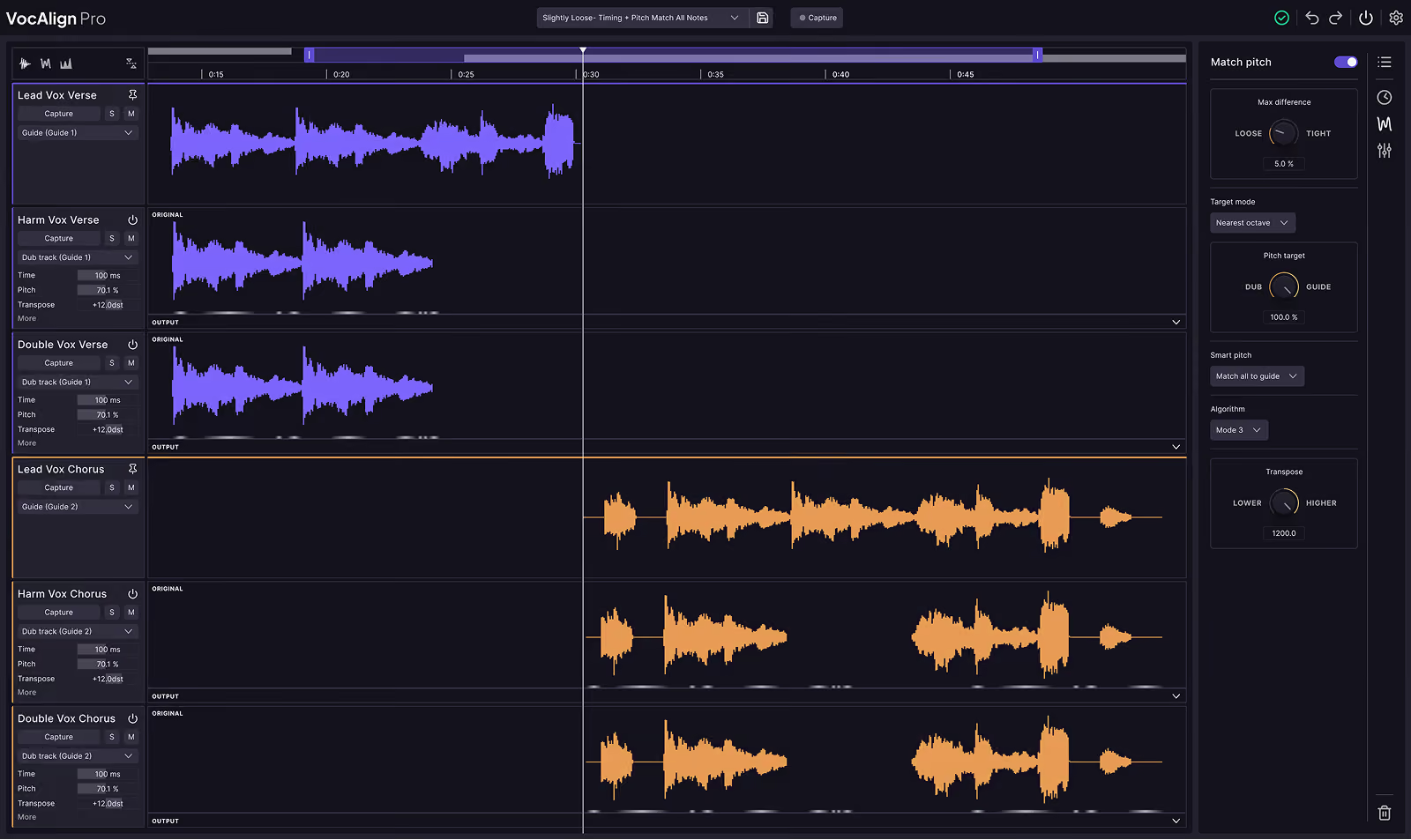
The workflow in Ableton Live is a little different from DAWs that support ARA. So I’ll head to the plugin section, and under the Synchro Arts folder, I’ll drag and drop an instance of VocAlign Pro 6 onto both of the vocal tracks I want to process. I’ll close the browser and drop one here, and now we need to assign the proper sidechain inputs.
I’ll select the male lead vocal track and set the sidechain to “Lead Vox Female.” I’ll do the same for the other track. Now both instances of VocAlign Pro 6 are primed and ready to receive the guide track.
Next, we need to capture the audio—this has to happen in real time in Ableton. I’ll pull up one of the plugin instances and click the “Capture” button while holding Shift. This primes both plugins for capture. Then I’ll go back to the start of the session and press play.
As you can see, VocAlign has already processed the outputs for these tracks, and we’re ready for playback. I’ll mute the background harmony for now and focus on the lead vocals:
Save hours in the studio with vocal processing software created specifically to enhance and simplify the processes of music producers and audio engineers.

