

%20(1).avif)
Synchro Arts
Save hours in the studio with vocal processing software created specifically to enhance and simplify the processes of music producers and audio engineers.

If you’re subscribed to any Synchro Arts subscription, LANDR Mastering Plugin is a powerful tool included in your toolkit.
With LANDR Mastering Plugin, you can take those flawlessly aligned harmonies and perfectly tuned lead vocals and turn them into a release-ready master without ever bouncing your mix or opening a separate project.
Combining elite vocal editing with instant AI mastering gives you a serious competitive edge, but you still need to know how to set your session up for success.
Mastering plugins are incredibly powerful, yet they are only as good as the mix you feed into them. Here’s our detailed guide to preparing your mix for LANDR Mastering.
Getting started with LANDR Mastering Plugin is incredibly simple, but your routing setup matters.
Drop the plugin at the end of your master output channel and prepare to have it “listen” to your track.
Skip the intro of your track when you first load it up. Instead, go straight to the loudest, most energetic part of your song, like a final chorus or peaking build-up before hitting the analyze button.
Letting the plugin build its sonic profile on the densest part of your mix ensures that the AI sets accurate thresholds and equalizer curves for the entire track, saving you from unwanted distortion later.
Healthy headroom is the secret sauce that separates home recordings from major label releases.
If your master output meter is already clipping or hovering just under zero decibels, you are starving the mastering processors of the space they need to balance frequencies and enhance depth.
To get the right headroom, you must gain stage your individual tracks, busses and sub-mixes so that your master output peaks around minus ten decibels before enabling the plugin.
Giving the AI algorithms in LANDR Mastering Plugin some breathing room allows its compression and stereo-widening algorithms to lift your vocals smoothly rather than smashing them against a digital ceiling.
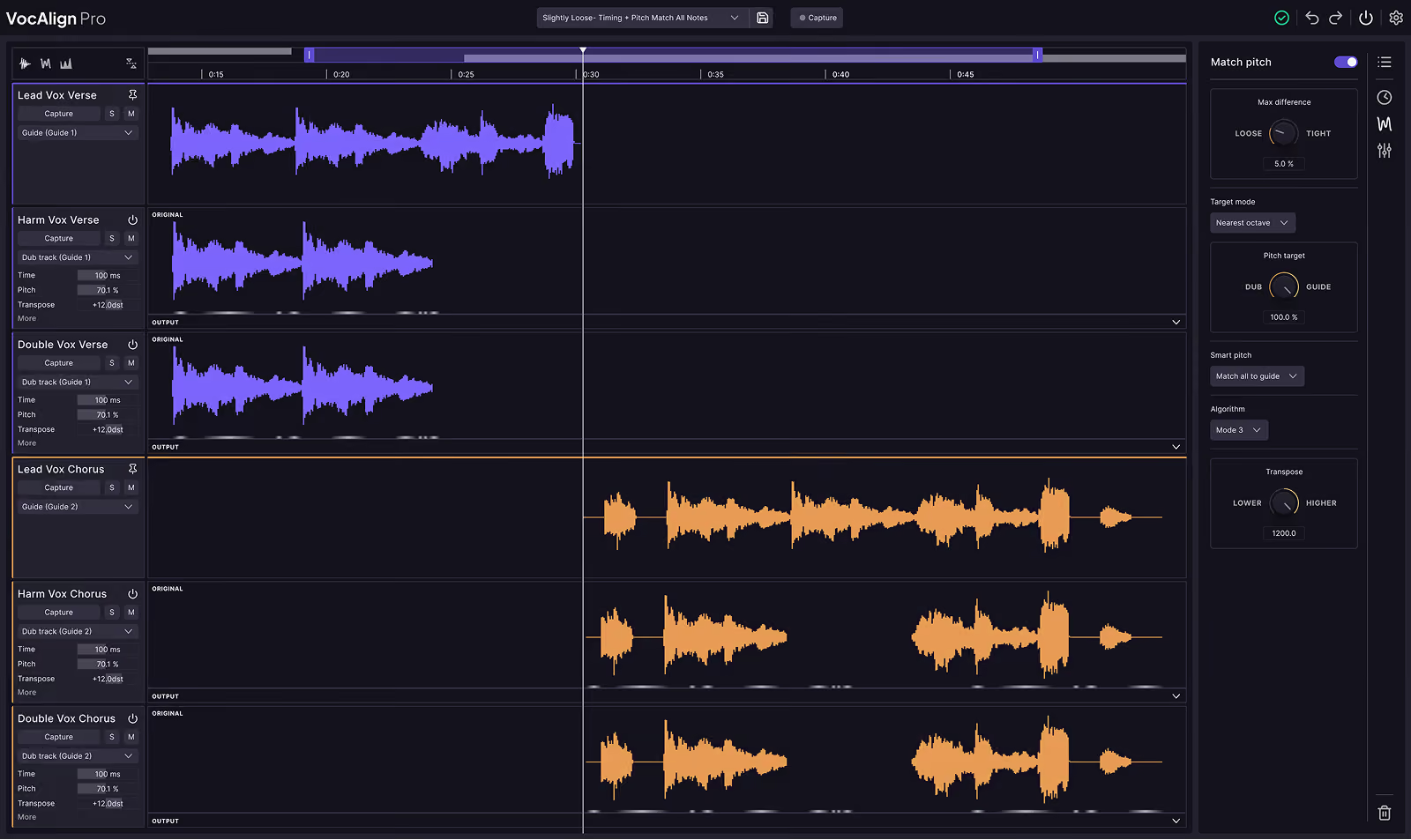
Syncing and tuning your vocals with VocAlign, RePitch, or Revoice Pro creates a tight, professional foundation that the mastering engine loves to polish.
Make sure you freeze or commit your vocal processing to permanent audio regions before running the final mastering analysis.
Committing your tracks locks your meticulous edits in place, prevents sample rate mismatches, and frees up precious CPU power so your DAW runs flawlessly.
You should also solo your vocal tracks to clean up hidden mouth clicks, breath noises, and headphone bleed, because the mastering plugin will naturally pull up quiet details and make unedited flaws sound much louder.
Hot tip: LANDR VoxDeEss is a great tool for de-essing and LANDR ReHance is a powerful AI audio enhancement that quickly removes clicks, breathing and bleed from vocal recordings. Both LANDR VoxDeEss and LANDR ReHance are included with Synchro Arts Subscriptions.
Processing your master bus can add a beautiful glue to your mix, but you have to be careful not to overdo it before the AI gets to work.
Using gentle tone-shaping EQ or warm tape saturation upstream from LANDR Mastering Plugin is completely fine if it serves your creative vision.
But avoid placing limiters, clippers, or heavy compression ahead of the mastering plugin.
These aggressive tools can reduce your dynamic range and flatten the intricate transient details of your vocals, which confuses the analyzer and prevents the plugin from doing its job properly.
Testing your master across multiple listening environments ensures that your vocal balances translate everywhere from club systems to phone speakers.
Toggle the plugin on and off to compare your processed master with your original mix, paying close attention to how the mid-range frequencies sit.
If you need to adjust anything, LANDR Mastering Plugin Pro (available with Synchro Arts Pro
subscriptions) offers good controls for dialing in EQ, stereo field, loudness and more.
When everything sounds perfectly balanced, export your final track as a high-resolution, lossless WAV or AIFF file at twenty-four or thirty-two bit float.
Always keep your export sample rate identical to your project session settings to maintain the absolute clarity and high-fidelity imaging of your Synchro Arts vocal edits.
Hot tip: Audified MixChecker is a great plugin for checking your mixes on a number of different listening mediums right in your DAW. No more bouncing your mix and checking it in your car over and over. With MixChecker, you can make adjustments on the fly and dial in your mix even faster. Audified MixChecker Ultra: Reference+ is included in all yearly Synchro Arts subscriptions.
Having world-class vocal editing tools and an industry-leading mastering engine inside a single subscription completely changes the game for independent creators.
You no longer have to jump between different software platforms or export endless test mixes just to get a radio-ready sound.
Taking a few extra minutes to properly prepare your session ensures that every ounce of effort you put into tuning and aligning your vocals shines through beautifully on the final master.
And remember, your creative workflow doesn’t have to stop once your master is finished.
Because your Synchro Arts subscription also includes music distribution, you have the option to send your completed track directly to Spotify, Apple Music, and all major streaming networks immediately.
This seamless ecosystem takes you all the way from a raw vocal recording to a global release, giving you every tool necessary to produce, polish, and distribute your music with absolute confidence.
What are you waiting for? Grab LANDR Mastering Plugin and finish your track!
Alex Lavoie is a drummer, music producer, songwriter and marketing professional living in Montreal, Quebec.
Save hours in the studio with vocal processing software created specifically to enhance and simplify the processes of music producers and audio engineers.


