

%20(1).avif)
.avif)
.avif)
.avif)
Synchro Arts
Save hours in the studio with vocal processing software created specifically to enhance and simplify the processes of music producers and audio engineers.

Let's take a look at using the ARA version of VocAlign Pro 6 in Logic Pro. Although I'm working with VocAlign Pro, most of what I talk about in this video will also apply to VocAlign Standard. All right, so let's get started.
I have a bunch of vocal tracks here. Let’s have a quick listen:
"If I could, I would cry all your tears, wash them away, lift you up high..."
On the whole, great-sounding tracks—but we definitely have some timing issues and some tuning issues. I've already done a tuning pass using RePitch on the main female lead vocal, so this is going to be our master timing guide and tuning reference.
Because we're using VocAlign Pro, we’ll be able to match the male lead vocal to the timing and pitch of the female lead vocal. But for the background vocals, we’re going to take a different approach and use the new Smart Pitch feature included in VocAlign.
To get started, I’ll select these two tracks. Let’s head over to the Audio Suite menu, choose VocAlign Pro AU ARA. Since I’ve used it recently, it’s at the top of my menu—but you’ll find it under Audio Units → Synchro Arts if it’s your first time. We’ll choose the mono instance.
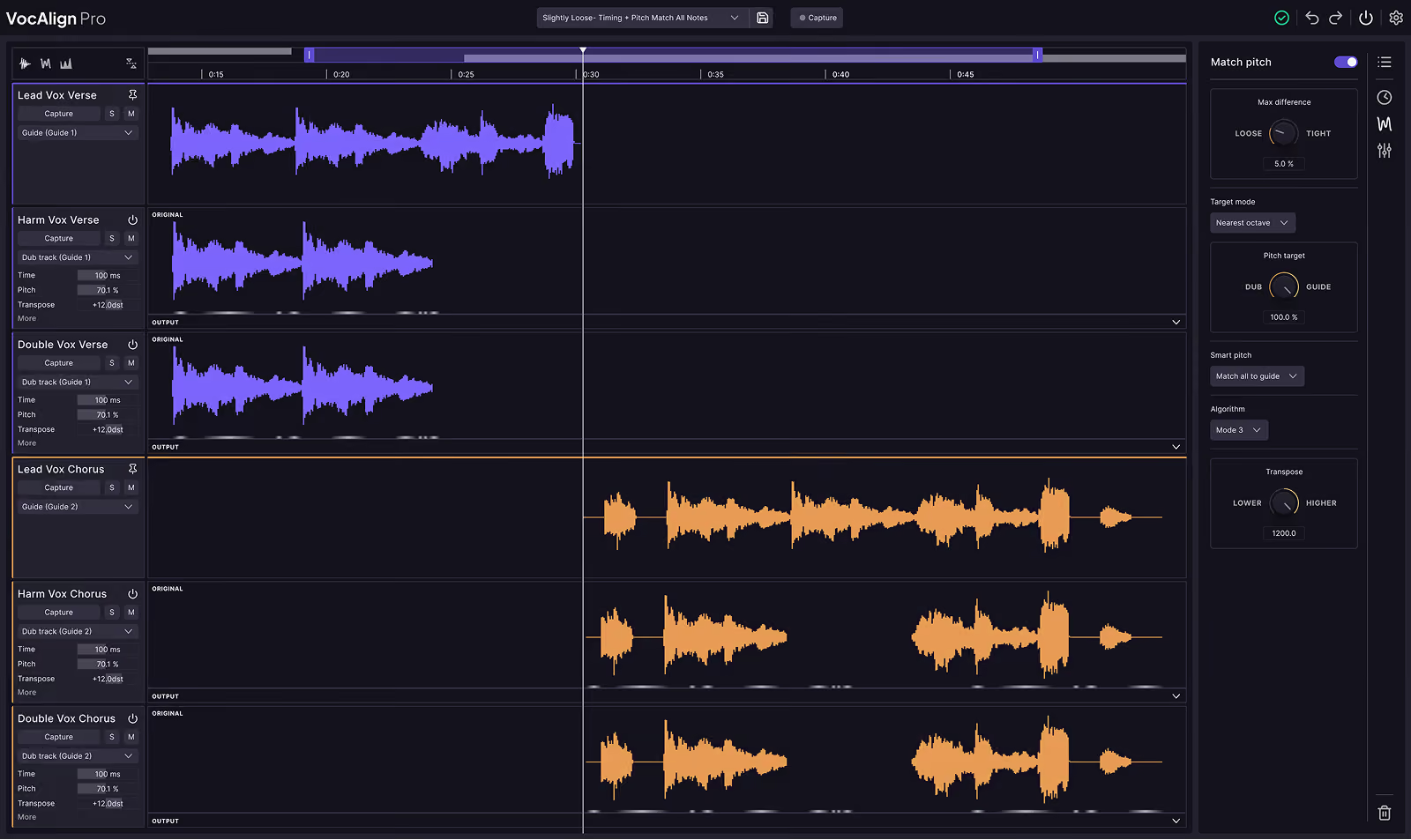
We now see the brand-new GUI for VocAlign Pro 6. First, make sure the purple icon is active—this lets you move freely between tracks with one GUI. I’ll select the female lead vocal and capture this as our guide—it’s our main timing and tuning reference.
Next, I’ll lasso-select the male lead vocal and capture it as the dub track. As you can see, we already have results and can instantly preview them:
"I’d fight your fire, carry your pain until it’s lighter. If I could, I would cry all your teardrops, wash them away."
At the bottom, we have a draggable bar to zero in on specific areas. Drag handles on the edges let us fine-tune our
Save hours in the studio with vocal processing software created specifically to enhance and simplify the processes of music producers and audio engineers.


