


%20(1).avif)
.avif)
.avif)
.avif)
Synchro Arts
Save hours in the studio with vocal processing software created specifically to enhance and simplify the processes of music producers and audio engineers.

So now I'm going to quickly take you through how Revoice Pro looks in Pro Tools using ARA technology.
Usually, I take a listen—and I've done a quick mix on this—but I take a listen and make a decision about how I want to process the vocals. Almost always, I’ll be taking it into Revoice Pro.
The old method of transferring into Revoice would be to select the audio of each channel and transfer it using the Revoice Pro Link AudioSuite plugin. Whereas now, with the beauty of ARA, we can transfer all of our vocals into Revoice in one swift go.
The way we do that is: we pick Revoice Pro Link here, and then Revoice Pro Link ARA tells us that Revoice Pro is not currently running. There's a handy button for that, so we tell it to start. Then we hit "Capture Audio."
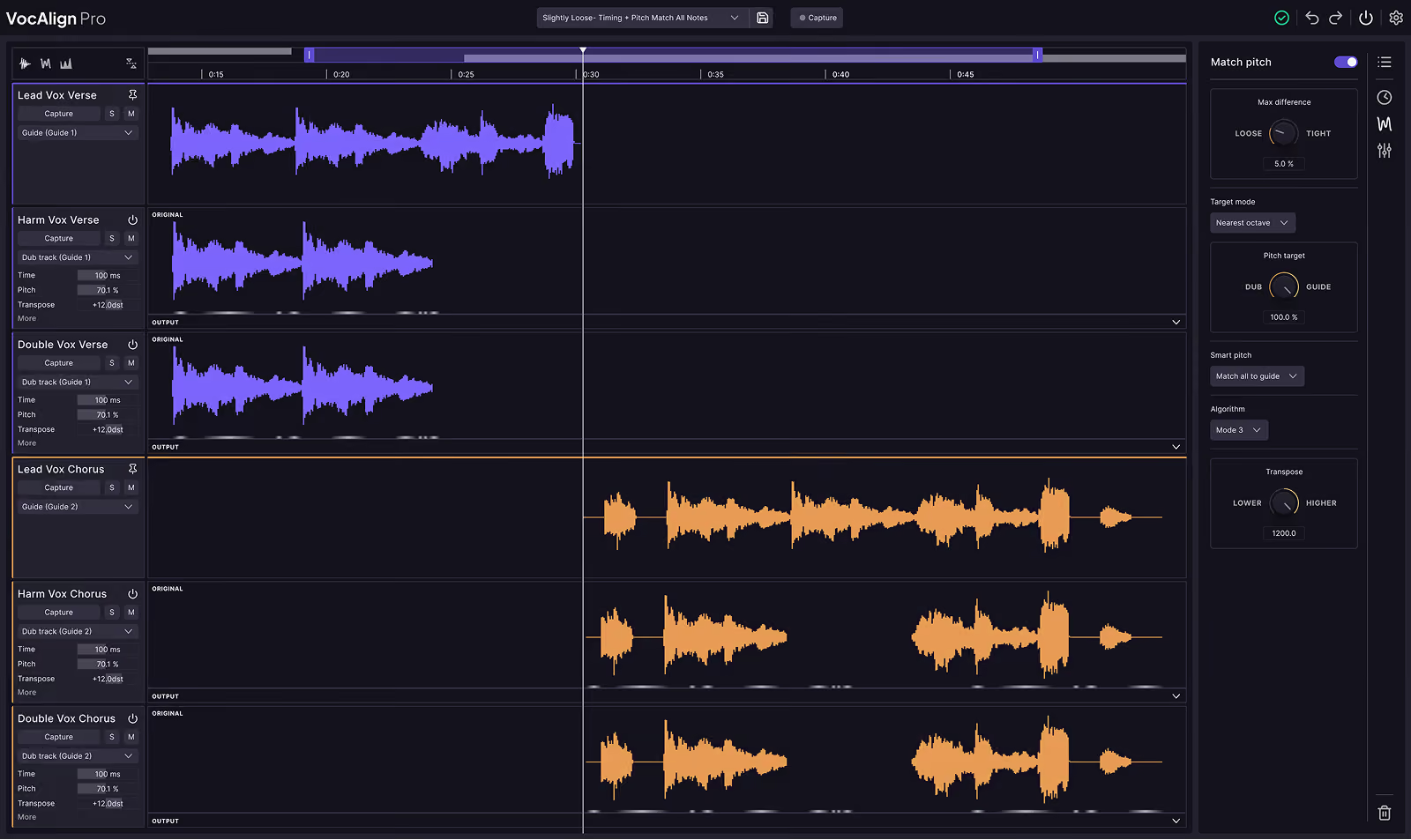
If we switch to Revoice Pro, as you can see, it's all in here—labeled the same as it was in my Pro Tools session. Essentially, Revoice Pro is now just a duplicate of my Pro Tools session in terms of how I have my vocals laid out.
As I was saying earlier, I like to process things in sections, so I can utilize the process groups to really tweak things and make them perfect for that section. For example, I would start to make my chorus process group. I’d select my lead, then select the playback range, and start a new match.
Then I get this process window where it asks me what my guide track is—it already knows it’s my chorus lead vocal. In this window, I load in all the dub tracks—all the tracks I want the characteristics of the guide track to be passed into. I’m just going to select the rest of my chorus.
It’s amazing that it takes the names from my Pro Tools session—because I name those specifically—so it lines up in order. I can add them as my dub tracks. I’m going to pick a factory preset. One I like to start with is “Tight Timing and Pitch – Match Only Unison.” I’ll probably tweak it as soon as it’s created, but that’s what I like to start with.
Then I add a new process group and create the process. What it’s going to do is apply a process to the dub tracks based on data gathered from the lead. This process is now already on here—the two live harmoniously together and natively. That process is now part of these vocals. No transferring back out.
I used to have to highlight each one, tab back to Pro Tools, use the AudioSuite plugin to render out. Now it’s all already there. And if I want to go and start tweaking my process group—for example, for the chorus—I might decide I don’t want it crazy tight. I might just loosen off the timing a little bit. You can see this red cogwheel here—that’s Revoice Pro re-rendering my new options.
I can tweak to my heart’s content. I might make it a tiny bit looser. I might not want the pitch matching to be quite as tight.
Another amazing, fairly new feature in Revoice Pro is the Smart Pitch Mode. It lets you match pitch to the lead for just the unison parts. So it analyzes your dub tracks, and anything that's in unison with the lead will be pitch-matched. You also get an amazing option: “Match Unison and Tune Non-Unison.” So anything not in unison with the lead won’t be matched, but it will be tuned to its nearest note—which is amazing.
Another thing I like to use occasionally is level matching. I tend to like to keep the dubs’ average level, but you can make the volume of your dub tracks similar to the lead. Again, you can set tolerances, and you can tweak and tweak and tweak.
What’s amazing is every time I move something, the cogwheel turns—it’s updating in Revoice Pro—and then it already exists in Pro Tools. It’s just so incredibly fast. In my opinion, it’s amazing.
I’ve spent years doing the process of taking it in and back out. This is just such a time-saver. And you know, anywhere you can make the process simpler means you can be more creative.
So that’s Revoice Pro in Pro Tools with ARA. I’m super excited to make it a part of my everyday workflow. It speeds everything up massively, and that means I can spend more time concentrating on mixing and being creative.
Thank you to Synchro Arts for getting these amazing technologies into Pro Tools as part of their ARA integration. I'm looking forward to using it.
Save hours in the studio with vocal processing software created specifically to enhance and simplify the processes of music producers and audio engineers.

