

%20(1).avif)

Synchro Arts
Save hours in the studio with vocal processing software created specifically to enhance and simplify the processes of music producers and audio engineers.

Automatic double tracking has been a staple in studios since it was pioneered in the 1960s at Abbey Road Studios.
Today, of course, many plugins produce natural and convincing double-tracked vocal effects that go beyond the original tape-delay-based versions of the 1960s.
So, let’s take a look at how to create that classic automatic double tracking effect used on classic Beatles records.
Later on, we’ll also dive into a few modern tools that take the technique to the next level.
Automatic double tracking (ADT) was a studio technique developed to artificially double vocals on analog tape delay machines at Abbey Road Studios as requested by The Beatles in 1966.
It uses a tape delay machine that delays a vocal signal slightly from the original and uses a low-frequency oscillator (LFO) to adjust the amount of delay slightly.
When mixed back into the original vocal signal, the oscillating delay time creates a natural-sounding resonance that wavers similarly to the human voice, creating a fairly convincing vocal doubling effect.
If you want to produce that classic ADT effect, you can easily create one with stock plugins included in most DAWs. All you need is a tape delay plugin and an LFO plugin, or a phaser-flanger with those capabilities.
Here’s how to create a classic ADT-style effect with stock plugins in Ableton.
Phaser and flanger effects are closely related to doubling and were also pioneered using tape machines. They all play around with audio phase and short delay times.
For this article, we’re using Ableton’s ADT-style doubling effect, which is found inside of its Phaser-Flanger plugin. Here’s how it sounds when you open it up.
But later on I’ll share a few other doubling effects plugins to try on your own.
With the Phaser-Flanger plugin open and the doubler setting selected, you’ve now set up a doubler effect. However, you may want to adjust the doubler’s settings to taste.
The three main settings that control your ADT effect-style vocal are phase, delay and LFO.
Here’s how each setting interacts with the ADT-effect in more detail.
Delay is what makes ADT possible. To create the effect, a vocal signal is split into two stereo left and right channels.
One channel is kept untouched while the other is sent through a delay effect. In most cases, a short delay time of 20-35 milliseconds is used, creating a slapback-style delay.
In most doubler plugins, you’ll see a time setting that you can adjust to taste, with short delay times being less noticeable to the listener and longer times producing an increasingly echo-y sound.
If the ADT effect has feedback settings, you can use them to feed some of the delay effect back into the original signal, creating even more echoes.
But in most cases, ADT should have little to no feedback, since the idea is to shift a single vocal into a doubled sound, not create an echoing vocal part.
The low-frequency oscillator (LFO) is what makes the ADT effect possible. Without one, all you have is a tape echo with a short, slapback delay time.
When an ADT effect splits the signal and sends one half to a short delay, the delay time is modulated with an LFO.
These constant shifts in delay time affect the delayed signal’s pitch, producing a wavering effect with slight pitch variations that mimic a naturally doubled vocal part.
In most automatic double tracking LFO settings, you get a frequency knob that controls LFO cycle speed and an amount setting that controls how much the LFO is applied to the incoming vocal’s delay time.
There may also be settings to change the LFO’s waveform, which changes the way it interacts with your incoming signal.
Increasing the frequency of the LFO creates an increasingly wobbly vocal double, while the amount setting adjusts how much the doubled vocal goes in and out of pitch.
To create a more natural-sounding automatic vocal double, keep the LFO at a lower frequency, ideally 0.01-1 Hz, while also keeping the delay modulation amount setting low.
Phase is the final setting to adjust in most automatic double-tracking effects tools.
The phase setting is used to control the amount of stereo offset between the original signal and the second doubled and delayed signal.
At 0° of phase, both channels are aligned, resulting in no changes to the overall sound.
Adding degrees of phase offset will offset the left and right channels, creating a stereo widening effect that can make the doubled vocal sound wider and bigger.
Many plugins offer automatic double tracking features.
Aside from Ableton’s relatively simple Phaser-Flanger plugin, let’s take a look at some other automatic double-tracking plugins that offer more advanced features.
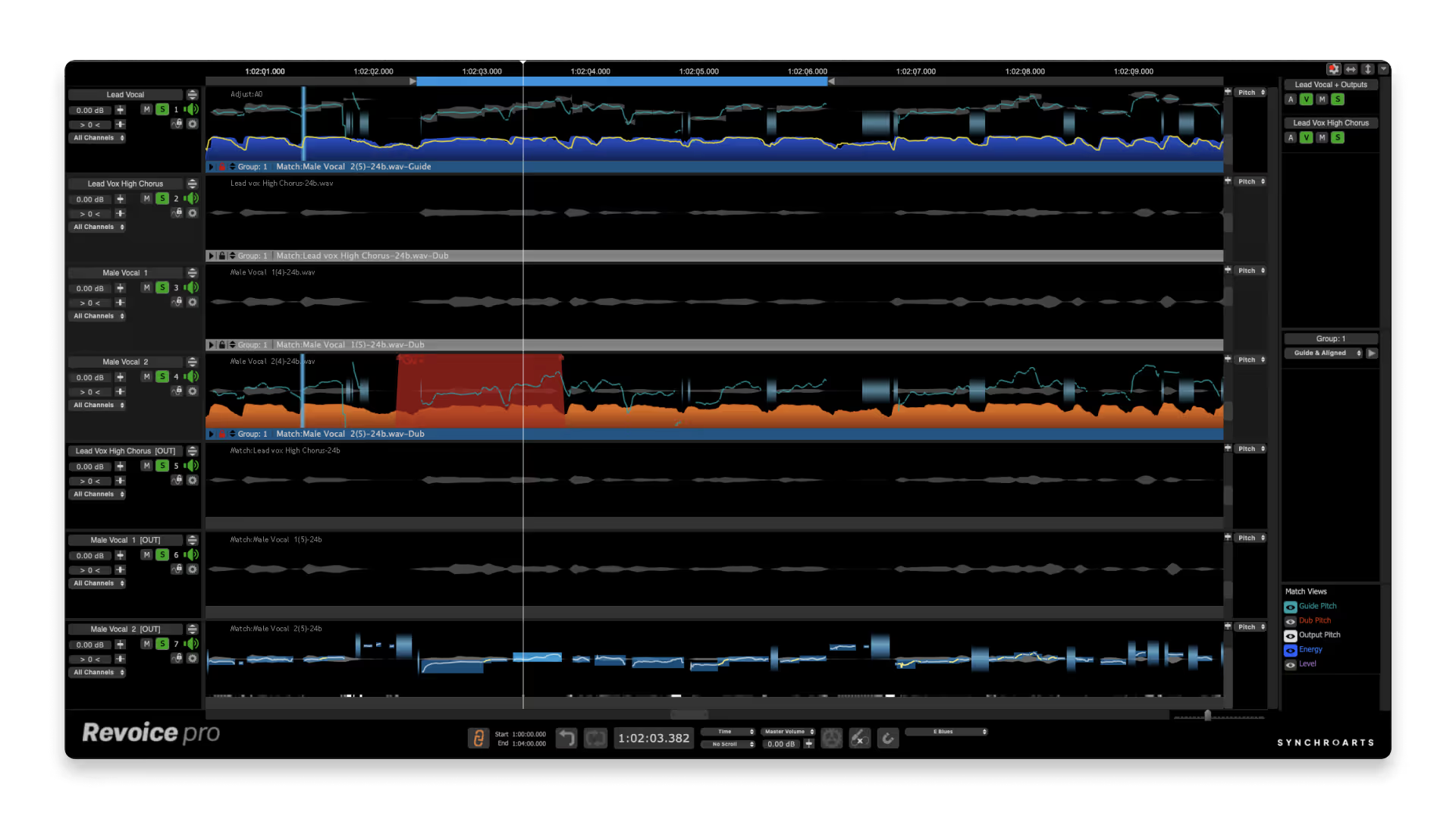
Revoice Pro 5 isn’t like any other vocal doubler on the market right now, and it’s arguably the best and most convincing one out there.
Don’t take our word for it, Production Expert called it the best doubler for creating natural, human-sounding vocal doubles.
“Revoice Pro 4, this represents the best ADT we’ve heard.” - Production Expert
That’s because Revoice doesn’t use the traditional modulated tape echo ADT signal chain.
Instead, it adds powerful formant shifting, vibrato and pitch correction tools to the standard delay and modulation effects used in ADT.
The addition of subtle modulation to both the formant shift and vibrato on the doubled vocal is why Revoice creates the most convincing automatic vocal doubles right now.
You also get the option to create doubles in mono and stereo alongside some great, professionally dialed-in presets.
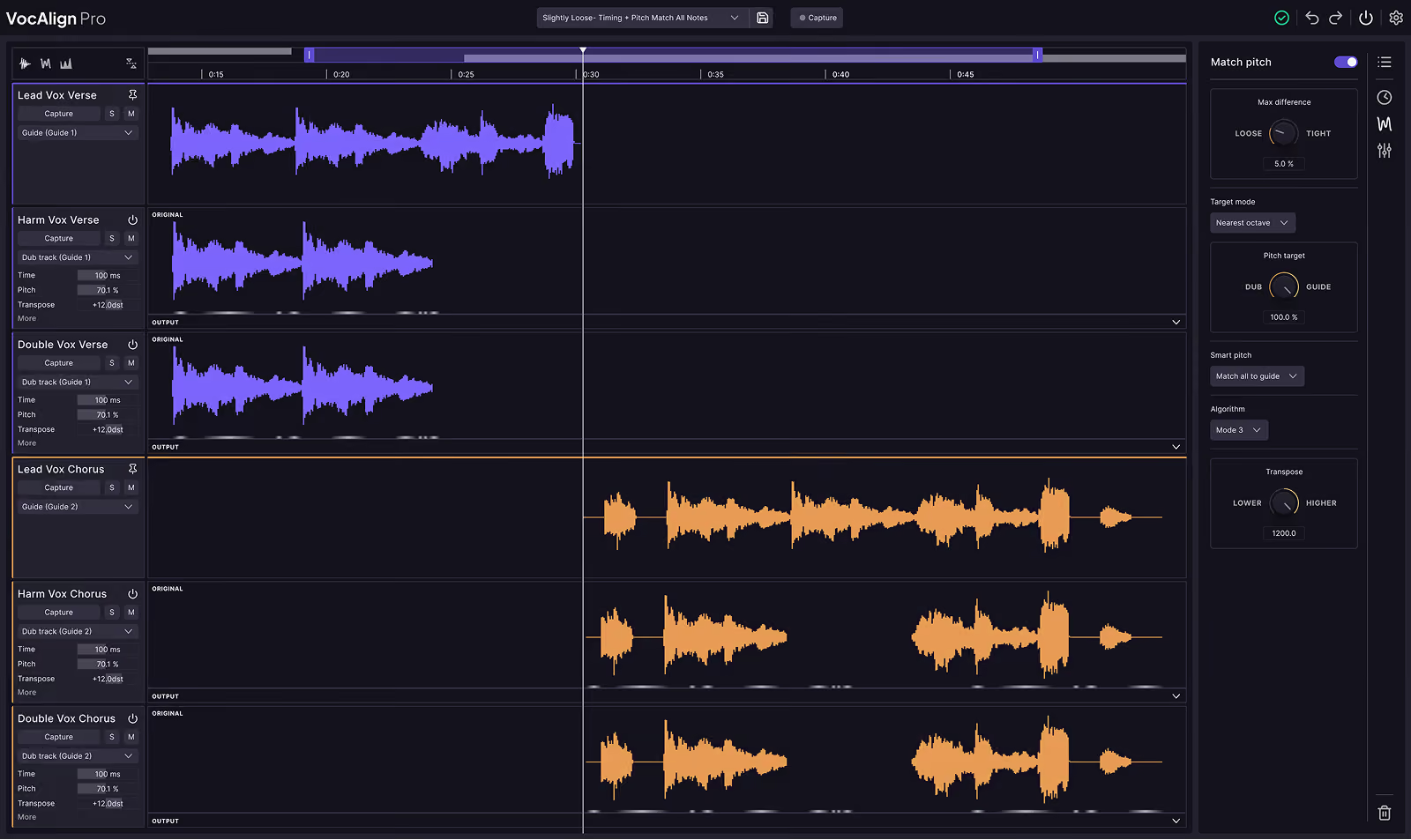
Of course, Revoice is much more than just a vocal doubler. It can also automatically align vocal stacks and it includes a powerful graphic pitch correction suite.
Here’s an in-depth tutorial about the vocal doubling feature in Revoice.
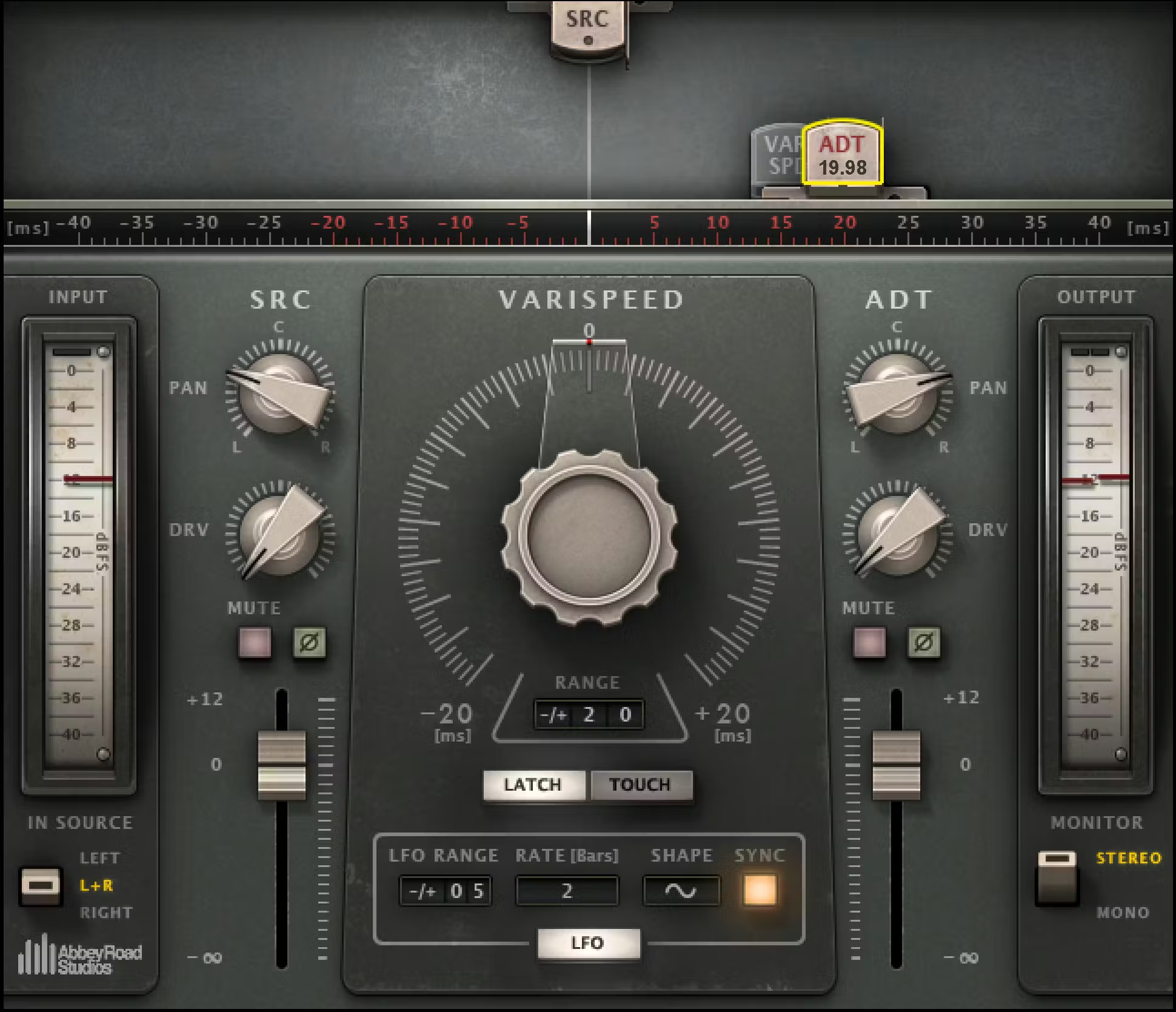
Abbey Road Reel ADT from Waves is possibly the most true-to-form classic ADT effect out there.
Its name and user interface pay homage to the reel-to-reel tape machines that were used to pioneer ADT at Abbey Road Studios, and it produces a faithful recreation of the original effect.
If you’re looking for that classic ADT-style vocal effect used on so many classic rock albums, this plugin is well worth your attention.
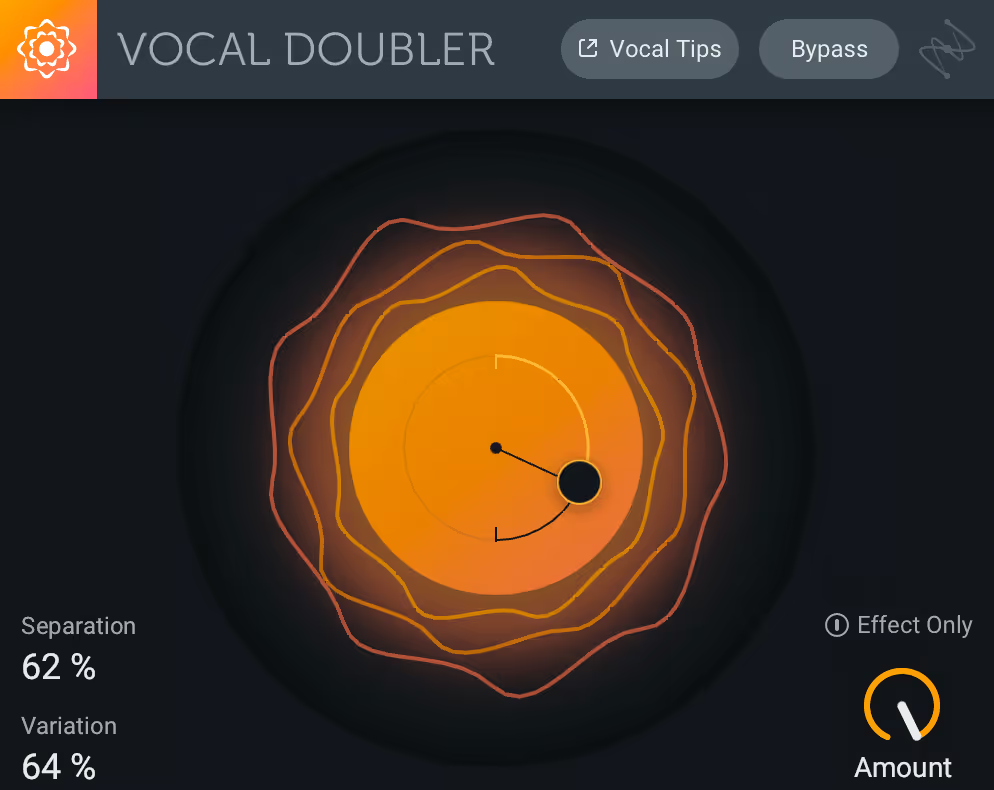
iZotope’s free Vocal Doubler tool is a useful but basic tool that works well for basic ADT use cases.
If you don’t have a dedicated ADT plugin or tool in your DAW, this one is worth downloading and trying for free.
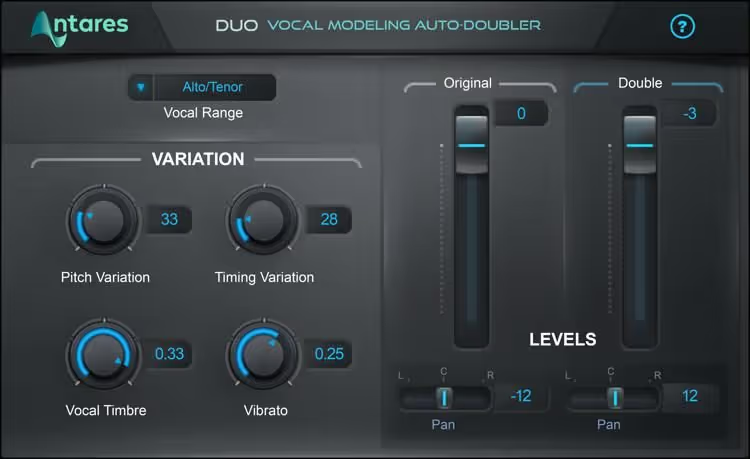
It makes sense that the creator of AutoTune, Antares, also has a doubler plugin on offer.
The plugin features simple controls that help you produce a decently convincing double, but it doesn't nearly offer the same depth of control as other paid plugins like Revoice Pro.
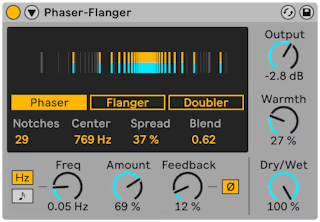
Ableton's Phaser-Flanger includes a simple doubler feature and an intuitive interface. It made a good candidate for showing how ADT works in this tutorial.
If you have Ableton already, this plugin is a great option for basic ADT effect tasks.
From its pioneering days at Abbey Road to today's advanced digital tools, Automatic Double Tracking (ADT) remains an essential technique for adding width and depth to vocals.
The classic effect is achievable with just a short tape delay (20-35ms) and subtle LFO modulation (0.01-1 Hz) using your DAW's stock plugins.
But, for those seeking the utmost realism and control, dedicated plugins like Revoice Pro 5 or the authentic Waves Abbey Road Reel ADT offer enhanced features to master this timeless vocal doubling trick.
Good luck crafting your next automatic vocal double!
Alex Lavoie is a drummer, music producer, songwriter and marketing professional living in Montreal, Quebec.
Save hours in the studio with vocal processing software created specifically to enhance and simplify the processes of music producers and audio engineers.


