

%20(1).avif)


Synchro Arts
Save hours in the studio with vocal processing software created specifically to enhance and simplify the processes of music producers and audio engineers.

In the world of modern music production, achieving polished, professional-sounding vocals is paramount.
One of the most crucial tools in achieving this is vocal tuning.
This process, which involves adjusting the pitch of a vocal performance, has evolved from a simple corrective measure to a sophisticated artistic tool.
Whether you're aiming for subtle enhancements or creative effects, understanding vocal tuning is essential for any producer or artist looking to refine their sound.
This article will delve into the intricacies of vocal tuning, from the basics of pitch correction to advanced techniques and practical guides for using these tools effectively.
Vocal tuning is the process of adjusting the pitch of a vocal performance to ensure it is in tune with the accompanying music.
This practice has become a standard in the music production industry, helping to polish vocals and ensure they meet the high standard of today's professional music.
While vocal tuning often aims to be as transparent as possible, it can also be used creatively to achieve certain aesthetic effects.
In the landscape of modern music, vocal tuning is more than just a corrective measure – it's an artistic tool that, when used correctly, can contribute significantly to the overall sonic identity of a song.
Whether you're recording in a professional studio or in a makeshift setup at home, vocal production is a critical aspect of creating high-quality music.
At its core, vocal production involves capturing, processing, and mixing vocals to ensure they shine in a mix.
The vocals often carry the emotional weight of a song, and thus, should sound flawless.
However, even the most skilled vocalists may have slight pitch inaccuracies during a recording, which is where pitch correction steps in to enhance the quality of the vocal tracks.
Pitch correction is a technique used in music production that corrects pitch in vocal and instrumental performances to improve accuracy and fix off-key notes.
Since its development in the late 20th century, pitch correction has become a staple in modern music production.
It's worth noting that pitch correction isn't just about fixing mistakes—it's also a creative tool that can add unique textures and elements to a vocal performance.
Pitch correction has a range of uses, from the most delicate manipulations to fix small imperfections in a vocal take to producing a heavily processed human voice with a near-robotic effect that's an entirely different sound.
With the range of uses pitch correction has, how you use pitch correction is an artistic choice that's totally up to you!
Nathan James Larsen demonstrates this perfectly using Revoice Pro 4 in this video:
Whether you're new to vocal production or looking to refine your skills, understanding the basics of pitch correction is fundamental.
In the coming sections, we'll dive deeper into the science behind vocal pitch, explore techniques for effective pitch correction, and share tips to enhance your vocal production process using pitch correction tools such as RePitch Standard or Revoice Pro 4.
In the world of digital audio workstations (DAWs), pitch correction software has become an indispensable tool for producing polished and professional-sounding vocal tracks.
But how does it work? What's the 'magic' that allows these tools to fine-tune a human voice without making it sound artificial or overly processed?
Pitch correction software works by analyzing the pitch of the vocal track, determining the musical notes that the vocal performance is closest to, and then adjusting the pitch to align it perfectly with those intended notes.
To achieve this, the software employs complex algorithms that parse the audio signal and alter its frequency without significantly changing other characteristics, like timbre and duration.
Here are some of the fundamental processes involved:
The software analyzes the audio waveform and extracts the pitch information. This pitch detection phase determines the frequency of the audio signal at every point in time.
The detected pitches are then mapped onto a musical scale (based on the key of the song). The software identifies the target pitches—those that the performance is intended to hit.
Finally, the software modifies the original audio to match the target pitches. This is achieved by speeding up or slowing down the vibrations of the audio signal, akin to tightening or loosening a string on a musical instrument.
Advanced pitch correction software like RePitch and Revoice Pro also offers additional features such as timing correction and formant control.
Timing correction ensures vocal takes are in sync with the rhythm, while formant control maintains the natural vocal sound when pitch is altered significantly.
Understanding how pitch correction software operates is crucial for using it effectively.
While it can be a saving grace for off-pitch vocal performances, its true power lies in its ability to subtly enhance a good performance, making it sound extraordinary.
Pitch correction can be a game-changer in vocal production, allowing you to fine-tune vocal performances with remarkable precision.
But as with any tool, the results depend heavily on how you use it. Let's explore some commonly employed pitch correction techniques and their best applications.
Manual pitch correction offers the most control over the process, making it possible to fix specific notes without affecting the entire performance.
It involves identifying problematic notes and adjusting them individually.
This method is ideal for minor pitch corrections where most of the vocal performance is in tune, but there are a few off-pitch notes.
The precision offered by manual correction helps preserve the natural fluctuations and expressiveness in the vocalist's performance.
Automatic correction is when the software analyses and corrects the entire vocal performance based on a predetermined scale and key.
This is particularly useful when dealing with larger sections of vocals that need correction or when the vocal performance is significantly off-pitch.
However, caution is necessary as over-reliance on automatic correction can lead to an unnatural, 'robotic' vocal sound.
When a vocal's pitch is adjusted, it can sometimes alter the vocalist's unique vocal character or 'formant.'
Formant correction ensures that the vocal maintains its natural qualities, even with significant pitch adjustments.
This is particularly useful when shifting a vocal pitch by large intervals or creating harmonies.
Pitch correction software can also be used to create harmonies from a single vocal track.
By duplicating the track and changing the pitch of the duplicates, you can create a harmonized vocal effect.
This is useful when you want to add depth and richness to a vocal performance, or when an actual backup singer is not available.
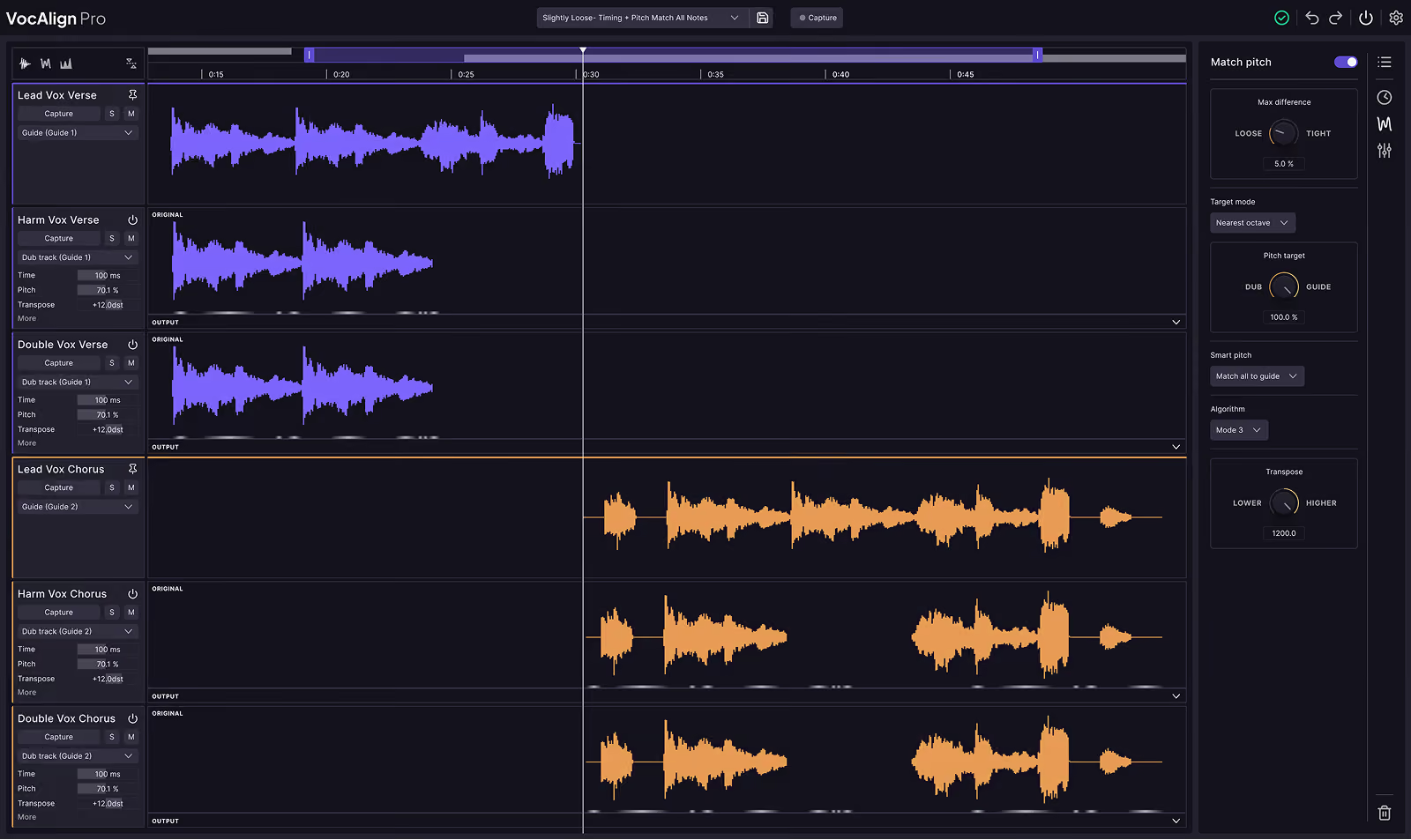
Did you know? VocAlign Ultra can match the pitch of your backing vocals to your lead in just a few mouse clicks. Watch how below…
Knowing the theory and techniques behind pitch correction is one thing, but putting them into practice can be a whole different challenge.
In this section, we'll guide you through the process, so you can enhance your vocal tracks effectively and subtly.
The best pitch correction is the one that's barely noticeable. That starts with a good vocal performance.
While pitch correction tools can work wonders, they're not a replacement for a solid, emotive vocal performance.
A well-performed vocal take gives the software a solid base to work from, allowing for more natural-sounding results.
Before diving in, listen to the vocal track several times to familiarize yourself with it.
Identify the parts that may need pitch correction, and pay attention to how severe the pitch deviations are.
As discussed earlier, different pitch correction techniques are suited to different tasks.
If the performance is mostly in tune, with only a few off-pitch notes, consider manual pitch correction. If larger sections need fixing, automatic pitch correction might be more appropriate.
It's better to make small, incremental changes rather than attempting to fix everything in one fell swoop.
Apply pitch correction subtly, focusing on the most glaring pitch errors first. Then, review and adjust as needed.
While correcting pitch, make sure not to lose the unique characteristics of the singer's voice. This is where formant correction comes in.
If the software you're using has formant correction capabilities (like Synchro Arts' Revoice Pro), make sure to use it to preserve the natural quality of the vocals.
Once you've applied pitch correction, listen to the track in the context of the full mix.
The vocals may sound perfect in isolation, but odd when paired with the music. Make sure the corrected vocals blend well with the other elements of the song.
While graphical interfaces of pitch correction tools can be helpful, don't forget to rely on your ears.
They are your best tool when it comes to judging whether the vocals sound natural and in tune.
Remember, the aim of pitch correction is to enhance the vocal performance, not overshadow it.
The best pitch-corrected vocals still sound human, retaining their emotive qualities and authenticity.
So use these tools wisely and remember that sometimes, less is more.
Vocal tuning is a powerful tool in modern music production, enabling precise pitch correction and creative manipulation of vocal performances.
By understanding the fundamentals of pitch correction software, employing various techniques like manual and automatic correction, and focusing on maintaining the singer's unique voice, producers can significantly enhance vocal tracks.
Ultimately, the goal is to subtly improve a performance, ensuring the vocals sound natural, emotive, and blend seamlessly within the mix.
Remember, less is often more, and trusting your ears is paramount in achieving the best results.

Alex Lavoie is a drummer, music producer, songwriter and marketing professional living in Montreal, Quebec.
Save hours in the studio with vocal processing software created specifically to enhance and simplify the processes of music producers and audio engineers.


