

%20(1).avif)


Synchro Arts
Save hours in the studio with vocal processing software created specifically to enhance and simplify the processes of music producers and audio engineers.

If you’ve ever worked with vocal timing, pitch correction, or phase alignment tools, you might’ve seen the term ARA pop up in your DAW or plugin menu.
But what is ARA, really? And why do so many engineers and producers swear by it?
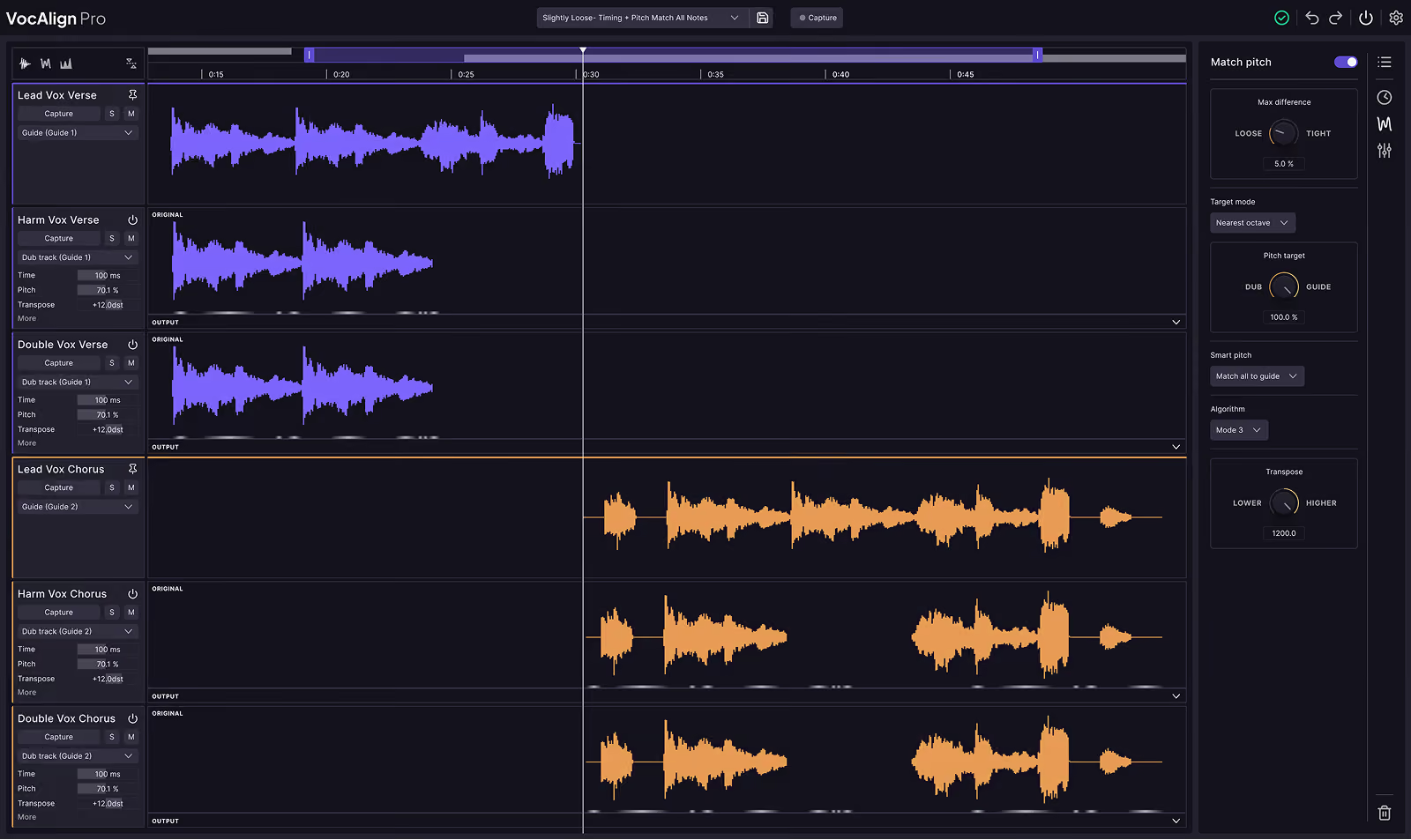
Let’s dig into what ARA does, how it works, and how it speeds up vocal editing workflows in tools like VocAlign, Revoice Pro, and Melodyne.
ARA stands for Audio Random Access. It’s a plugin extension format that allows your DAW and your audio plugins to talk to each other in a much deeper, faster, and more flexible way.
That means instant communication between the plugin and your project—no bouncing, no real-time playback, and no waiting around.
At its core, ARA allows audio to be captured immediately and shared between plugins and your DAW, which makes it easier to align, tune, or manipulate multiple tracks in seconds instead of minutes.
Before ARA came along, audio plugins had to process everything in real time.
That meant:
With ARA, your plugin can access everything it needs—tempo, pitch, phrasing, rhythm, even chord data—right from the DAW timeline.
It’s basically time travel for your plugins. You don’t have to hit play, and you don’t have to bounce stems. Just open the plugin, and the audio is already there.
“VocAlign in Logic Pro with ARA—what a game-changer. Absolutely love it!”
— Alan Branch (U2, Primal Scream, The Cure)
The way ARA behaves depends on the DAW you’re using. Some DAWs have deeper ARA integration than others.
To use ARA with VocAlign in Logic, you’ll need to insert the AU plugin on each track (Guide and Dub). Once you’ve set up the tracks, you can open VocAlign and it will grab the audio instantly.
In PreSonus Studio One, the ARA workflow is even simpler. Just right-click your audio clip, select Audio > Edit with VocAlign, and boom—the VocAlign window opens with your Guide and Dub tracks preloaded.
Each DAW handles things a little differently, but the ARA integration means less manual capture and more creative focus.
ARA2 is the latest version of the Audio Random Access protocol. First revealed at NAMM 2018, it introduced some impressive upgrades over the original format:
If you’re using modern audio software, chances are you’re already working with ARA2 behind the scenes.
Here’s a list of some of the most popular plugins that support ARA2:
In tools like VocAlign, the ARA version can fetch the audio it needs instantly—no need to record into the plugin. It also means you can instantly replace the processed audio directly within the DAW, without bouncing anything.
Let’s say you have a lead vocal and 12 backing vocal tracks. Before ARA, you’d have to align each dub one at a time. With ARA, you can line them all up in just a few clicks.
It saves hours of work—especially when paired with tools like VocAlign or Revoice Pro.
This makes ARA essential for vocal comping, ADR editing, tight timing corrections, and multi-track alignment, whether you’re producing a record or mixing post-production dialog.
To sum it all up:
If you’re not using ARA-enabled tools yet, it might be time to give them a try—especially if you're working with layered vocals, ADR, or tightly tuned productions.
Time-saving? Yes. Workflow-changing? Absolutely.

Created and vetted by the team of editors, artists and engineers at Synchro Arts.
Save hours in the studio with vocal processing software created specifically to enhance and simplify the processes of music producers and audio engineers.


